Google now shows AI text beside brand searches: check what it says about your business
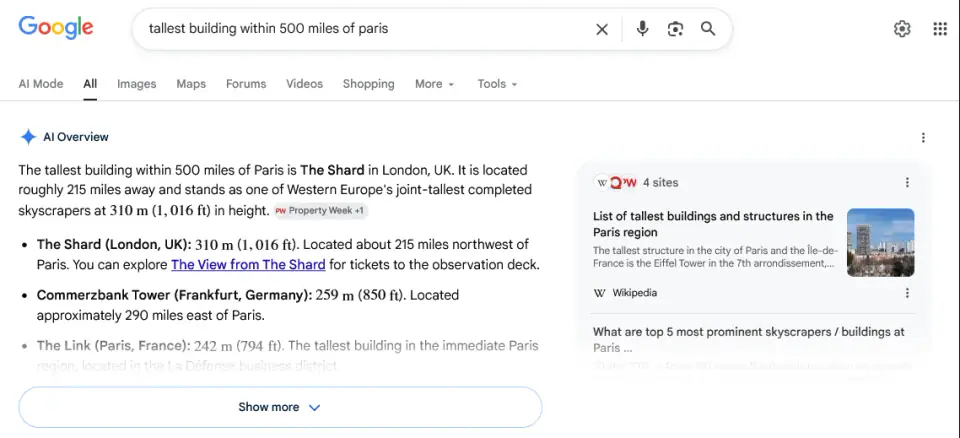
Since late October 2026, Google has been showing AI Overviews in the right-hand column for many US brand searches, where a knowledge panel (the info box about a company) used to sit. Google has not confirmed it. Search your own business name this week and fix what you can: your Business Profile and your website.
Both sides
On 2 November 2026, Search Engine Roundtable reported that Google had moved AI Overviews (AI-written summaries) for many brand searches into the right-hand column on desktop, the spot where the knowledge panel normally sits[1]. The examples were Apple, Zillow and Coca-Cola, all US results[2].
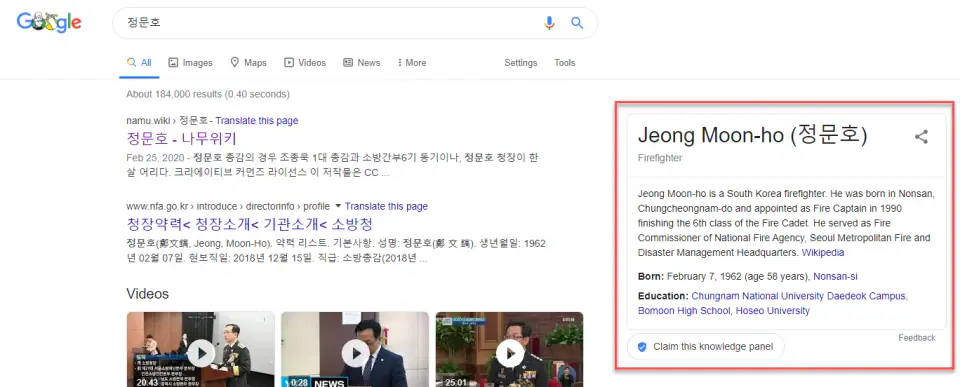
A knowledge panel in the right-hand column of a desktop Google search. For many US brand searches since late October, an AI Overview has been showing in this spot instead. Image: Choi Kwang-mo (google search), Public domain, via Wikimedia Commons.
Why should a small Indian business care? Because the AI writes a description of the brand, and that text now sits beside your website. One Zillow panel gave two founding years, 2006 and 2004, with no explanation[2]. If Google can mix up a famous company, it can mix up your shop.
How common is it? Ahrefs found AI Overviews on 63 of 100 plain brand searches by 30 September, up from 5 of 98 on 1 July[2]. But Google has not announced the change or said which countries get it[2].
Here is the catch: Google says there are no extra requirements to appear in AI Overviews and no special markup, only an indexed page that can show a snippet[3]. So you cannot tag your way into a better description. You can only control what the AI reads, like an AI chatbot.
That is why the basics matter. Search your business name on a desktop. Claim your free Google Business Profile[4]. Keep your about page clear.
The other side: nobody knows what this does to clicks, since Google publishes no click data by placement[2][3]. Watch it, but do not buy a new tool for it.
Sources
- Google AI Overviews For Brands Moved To Right Column (Search Engine Roundtable) seroundtable.com
- Google moves AI Overviews for brand searches out of the main results (PPC Land) ppc.land
- AI features and your website (Google Search Central) developers.google.com
- Add or claim your Business Profile (Google Business Profile Help) support.google.com
Quote this answer on your site
Free to quote with the link. Copy this HTML:
Cite this: “Google now shows AI text beside brand searches: check what it says about your business.” Cybe Blog, 12 Nov 2026, updated 27 Nov 2026. https://cybe.blog/p/google-ai-overviews-brand-searches-check-what-google-says-about-your-business How to cite
How this answer was made: researched and drafted with AI assistance from the sources above, reviewed by Sai Dharshan S, and checked against our editorial policy. Spotted an error? Tell us.
Cybe Blog is made by CyberFreezeDev, an AI consultancy and generative AI studio in Chennai, India. Work with CyberFreezeDev